Student Records Management
The Degree Students and Course Students records in Woolf’s AMS help administrators to efficiently oversee and manage student information throughout their academic journey. From enrollment and progress tracking to graduation submissions, these tools ensure streamlined workflows while maintaining compliance with institutional and accreditation standards.
The Degree Students Page allows colleges to manage degree-specific records, monitor student progress, and approve applications or activities. Meanwhile, the Course Students Page focuses on managing course-specific records, including grade approvals and credit issuance. These features empower academic staff to make informed decisions and maintain accurate, up-to-date student profiles.
Degree Students Records
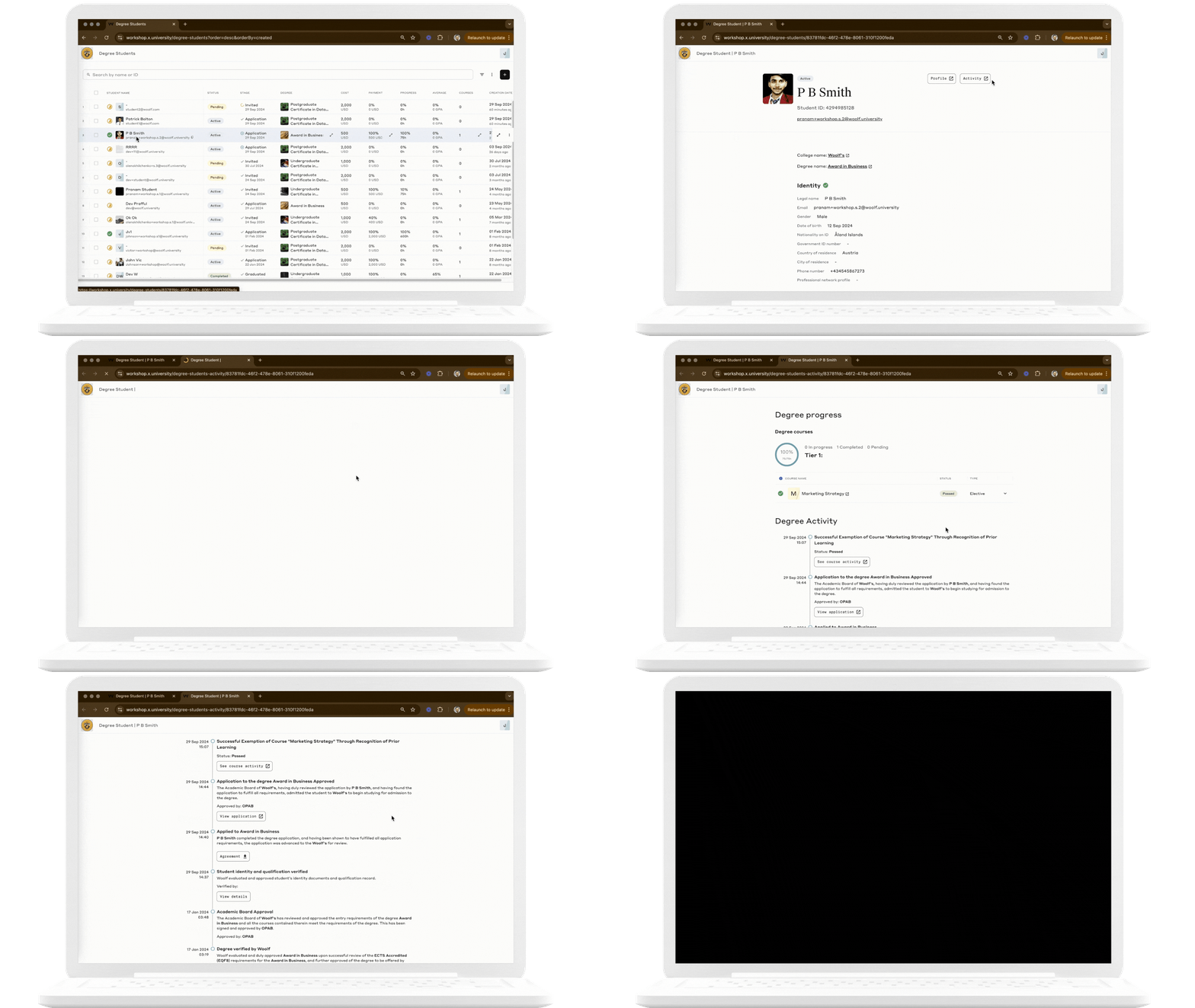
As a college administrator or staff member, you’ll spend significant time in the Degree Students Page. This is where you manage student records, track degree progress, and approve submissions related to student activities and graduation.
Key Functions
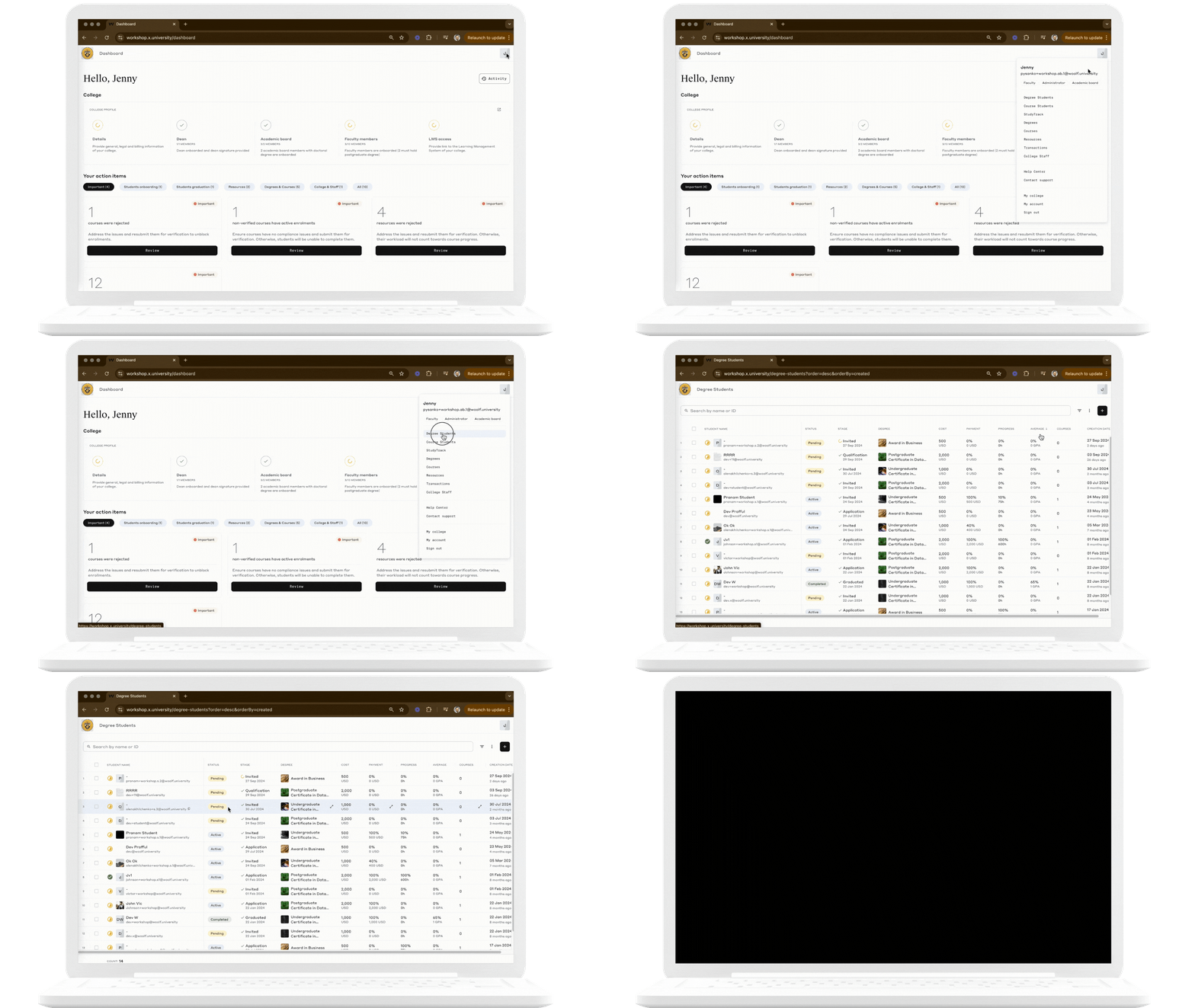
Invite and Enroll Students
Use AMS to onboard new students and assign them to degree programs.
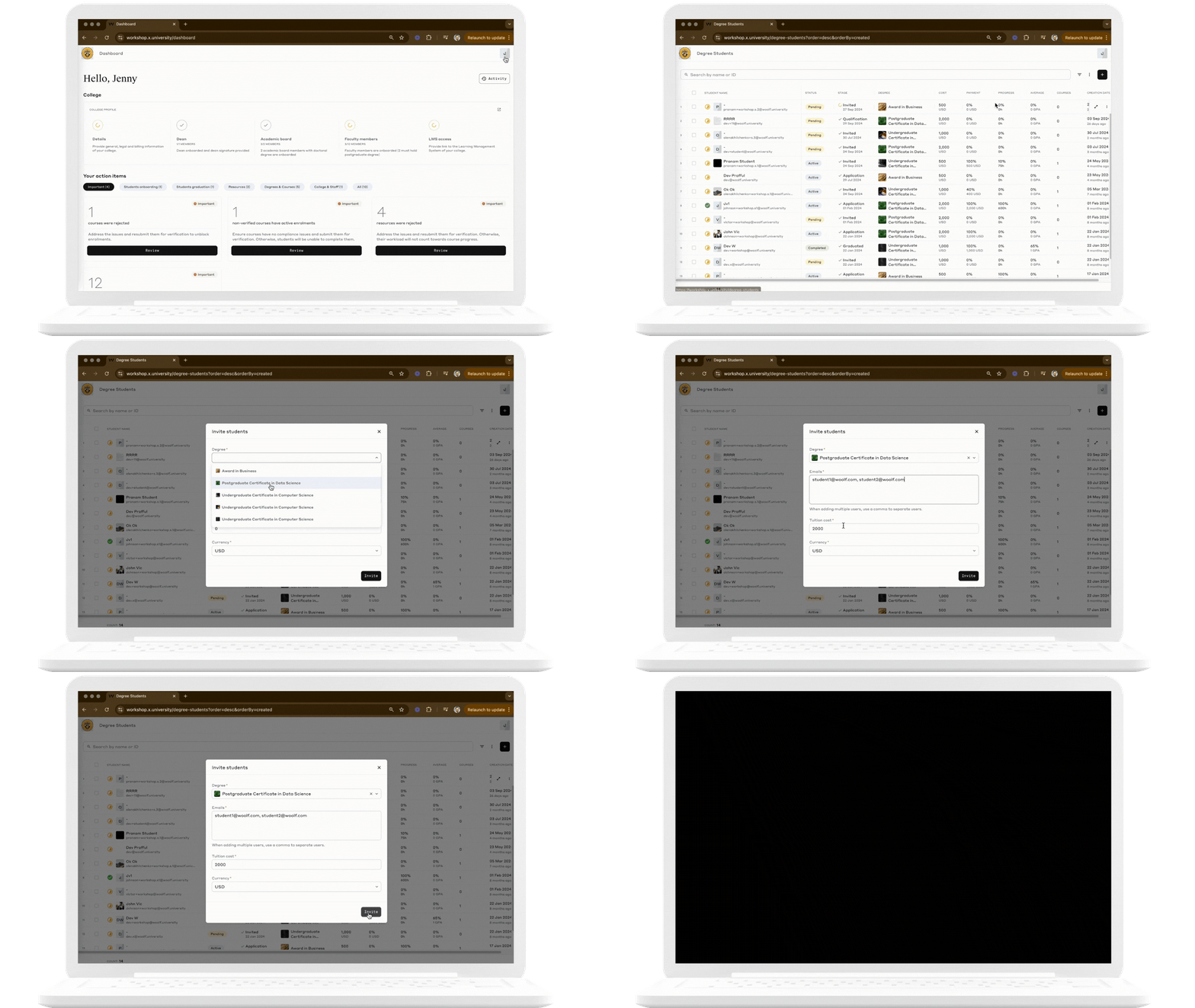
Approve Applications
Once the student's identity and qualification is verified by Woolf, the academic board members can review student applications and accept or reject them based on the institution's criteria.
Track Student Progress
Monitor student progress using the Student Activity Log, which records their performance, resource engagement, and assignment completion. For more information, read How to Review Degree Progress.
Submit for Graduation
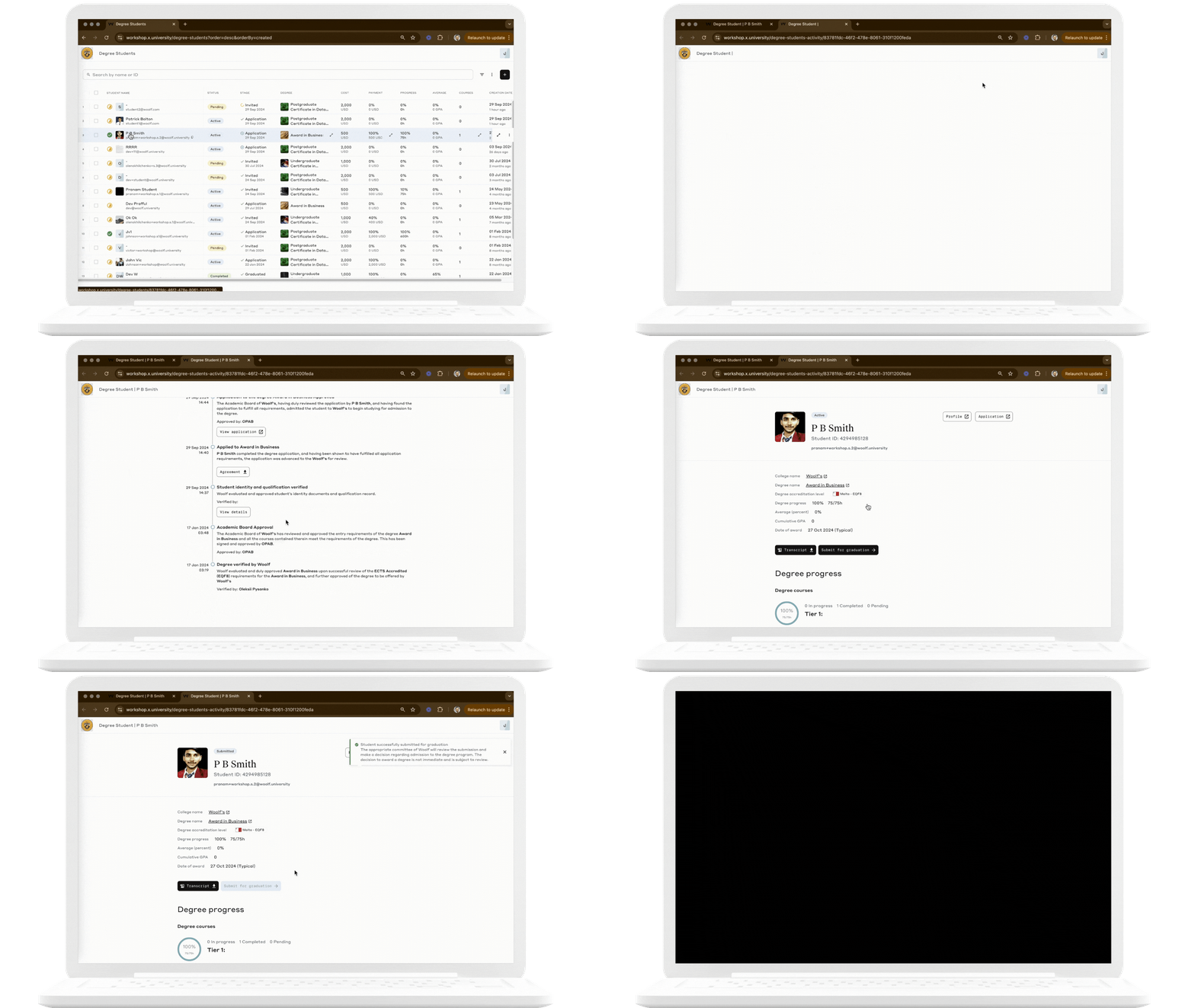
Ensure students have completed their academic requirements before submitting their records for graduation approval. For more information, read Submitting Degree Students for Graduation Approval.
Course Students Records
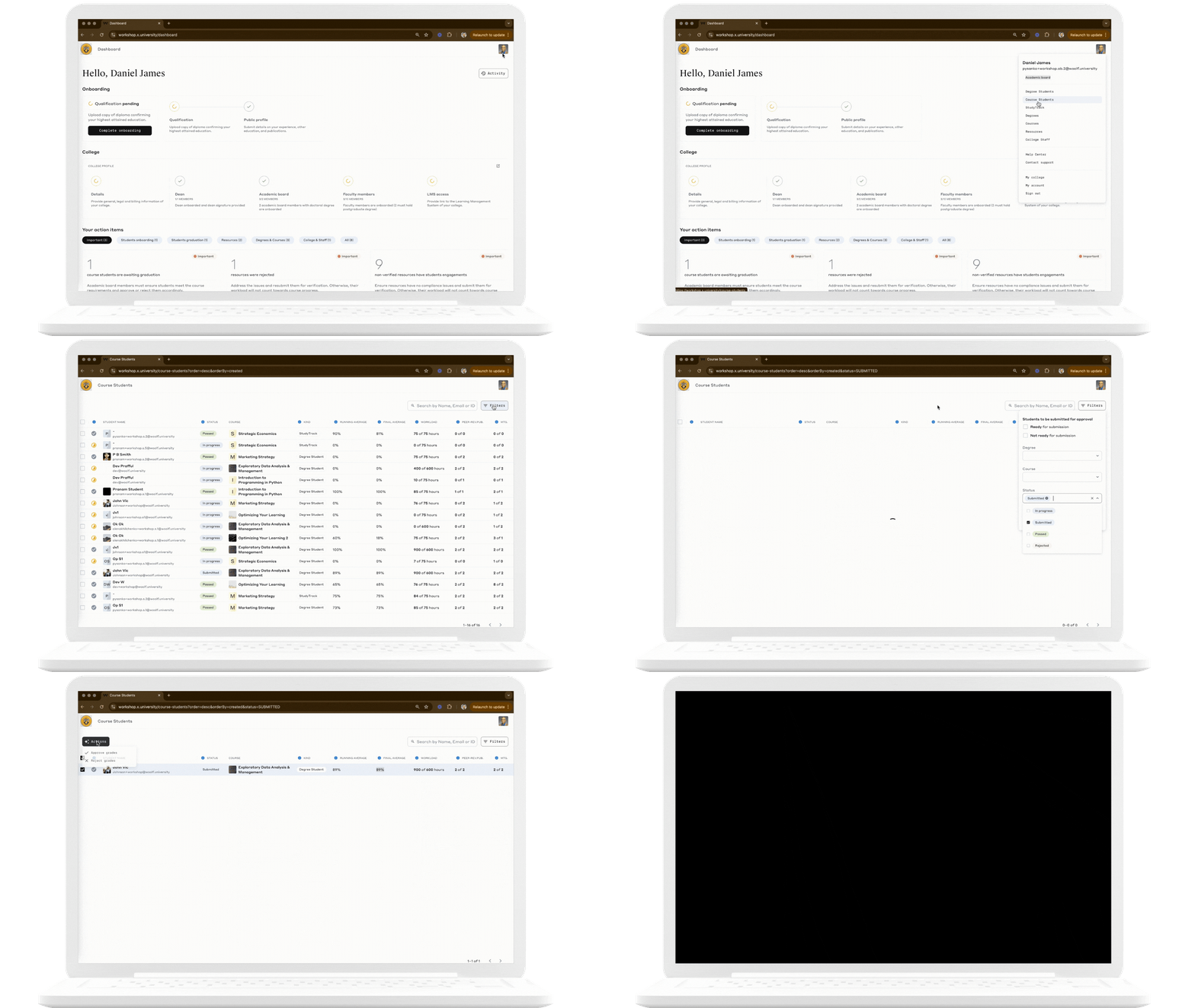
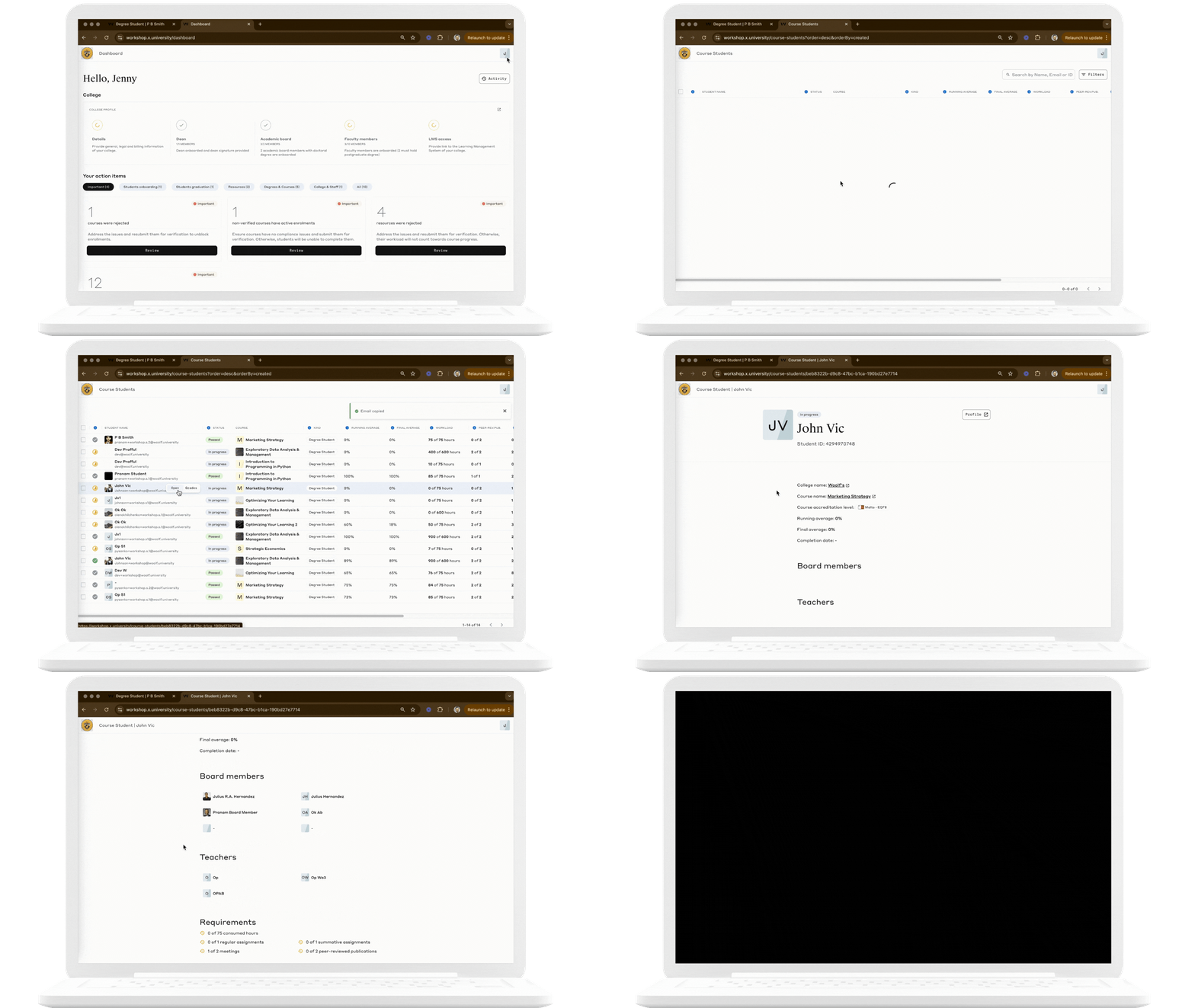
The Course Students page in Woolf’s AMS focuses on helping administrators manage student records for course completion.
Key Functions
Submit for Approval
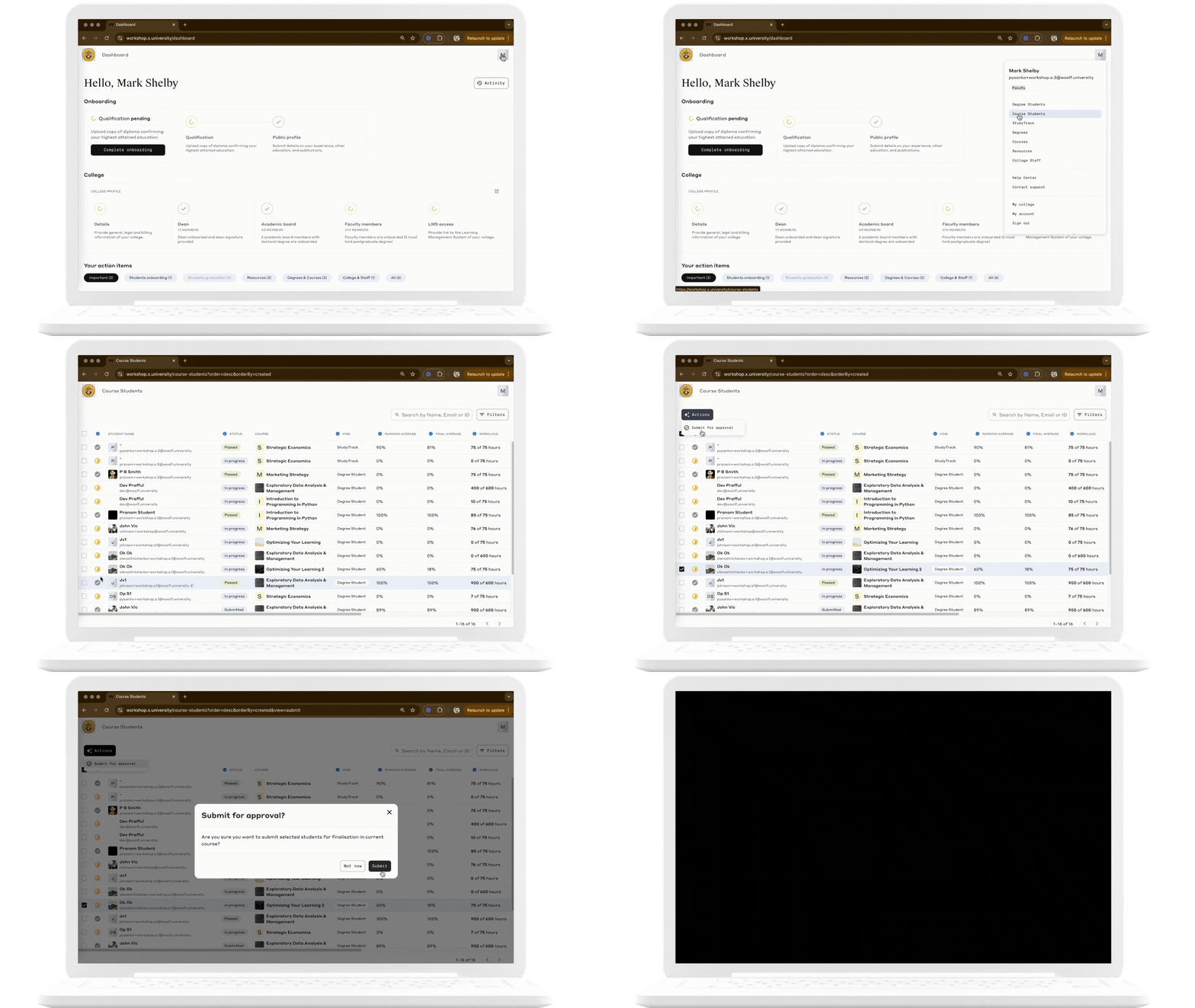
Used by Faculty to submit student records for review by the Academic Board. This action is taken once all course requirements have been met and the student is ready for evaluation.
Approve/Reject Grades
Used by the Academic Board to approve or reject grades for course completion. Upon approval, academic credits are issued and added to the student's transcript. If rejected, the result appears as failed in the transcript.