
Submitting Degree Students for Graduation Approval
Once students have completed all the necessary requirements for their degree program, colleges must submit their records for approval through the Woolf Academic Management System (AMS). This process ensures that students are ready for graduation and that all necessary actions are taken to finalize their academic status. Read Reviewing Degree Progress for more details.
Graduation Submission Steps
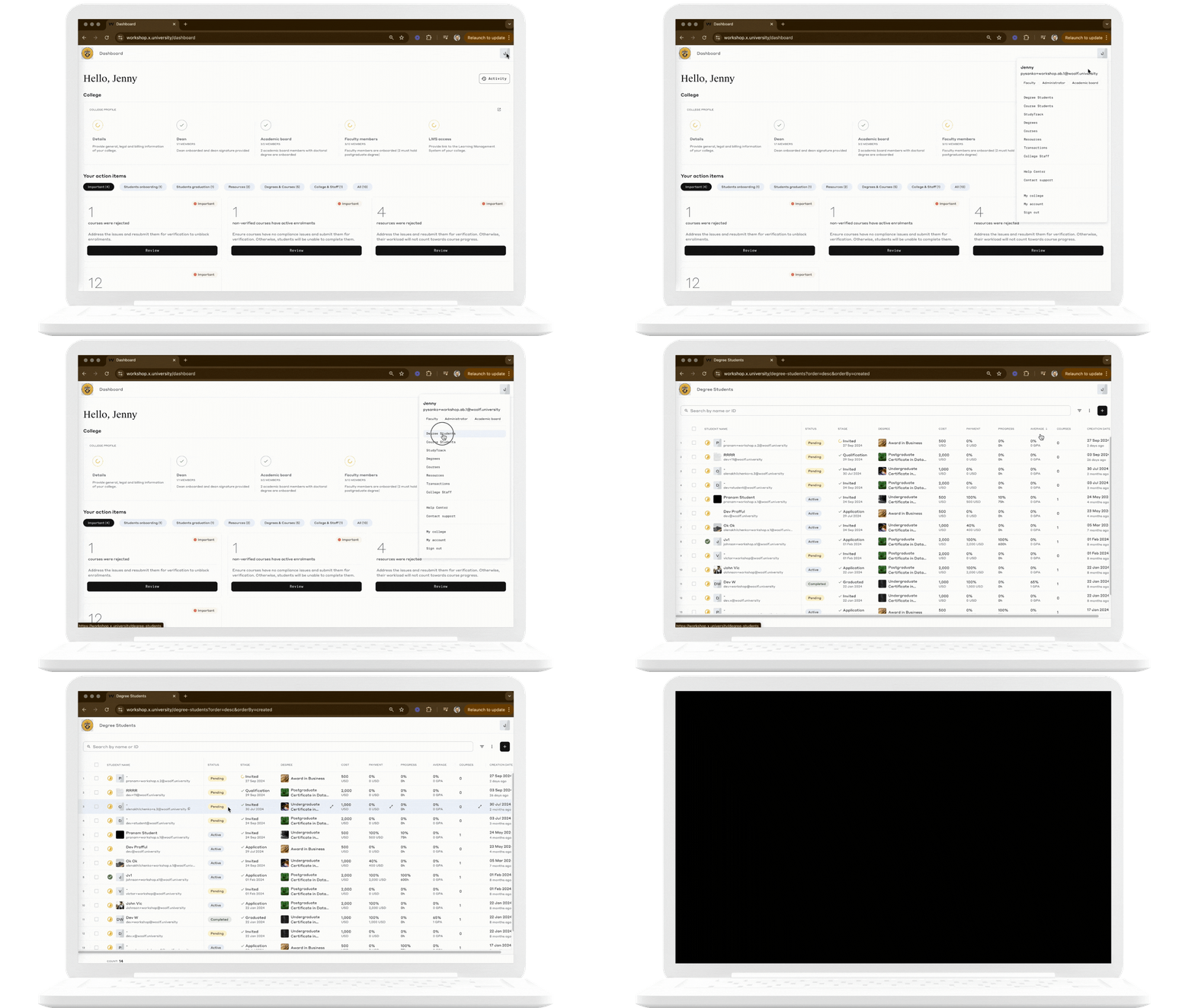
Step 1: Navigate to the ‘Degree Students’ Page
Go to the ‘Degree Students’ page in Woolf AMS. This is the central location for managing student records and graduation processes. Read Degree Students Page for more information.
Step 2: Filter Eligible Students or Insert a Ready List
Method | Description |
|---|---|
Filter Eligible Students | Use the ‘Ready to be Submitted’ filter to display students who have completed all the necessary program requirements. 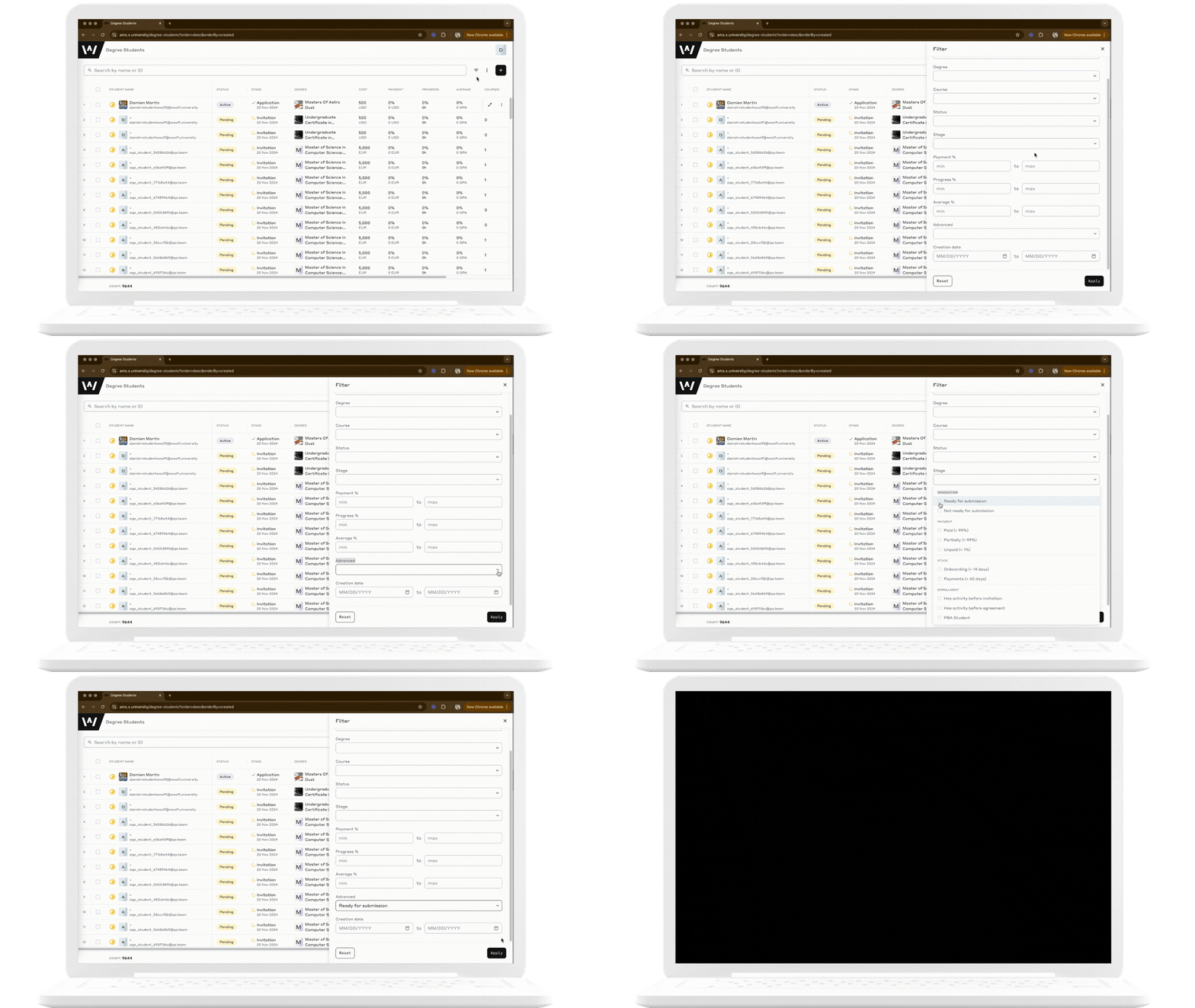 |
Insert a Ready List | If you have a specific list of students ready for submission, you can insert a list of emails or user IDs separated by commas in the search bar. This can help streamline the process if you’re submitting specific students rather than filtering. 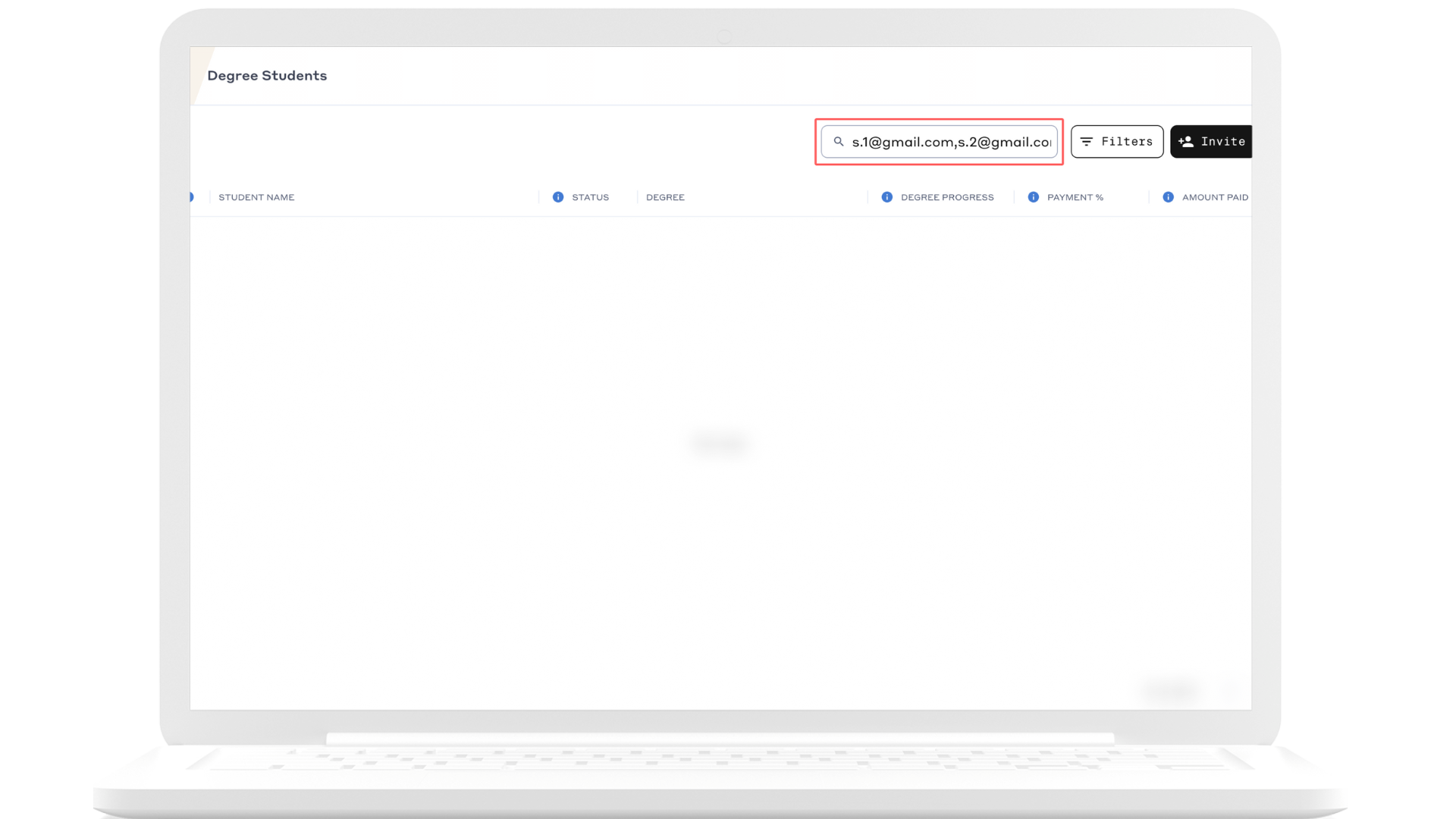 |
Review Records | Use the Completion Readiness Tracker to identify students who are not yet ready for graduation. This will provide insight into why they have not met the requirements, allowing you to take any necessary actions to ensure they are eligible. 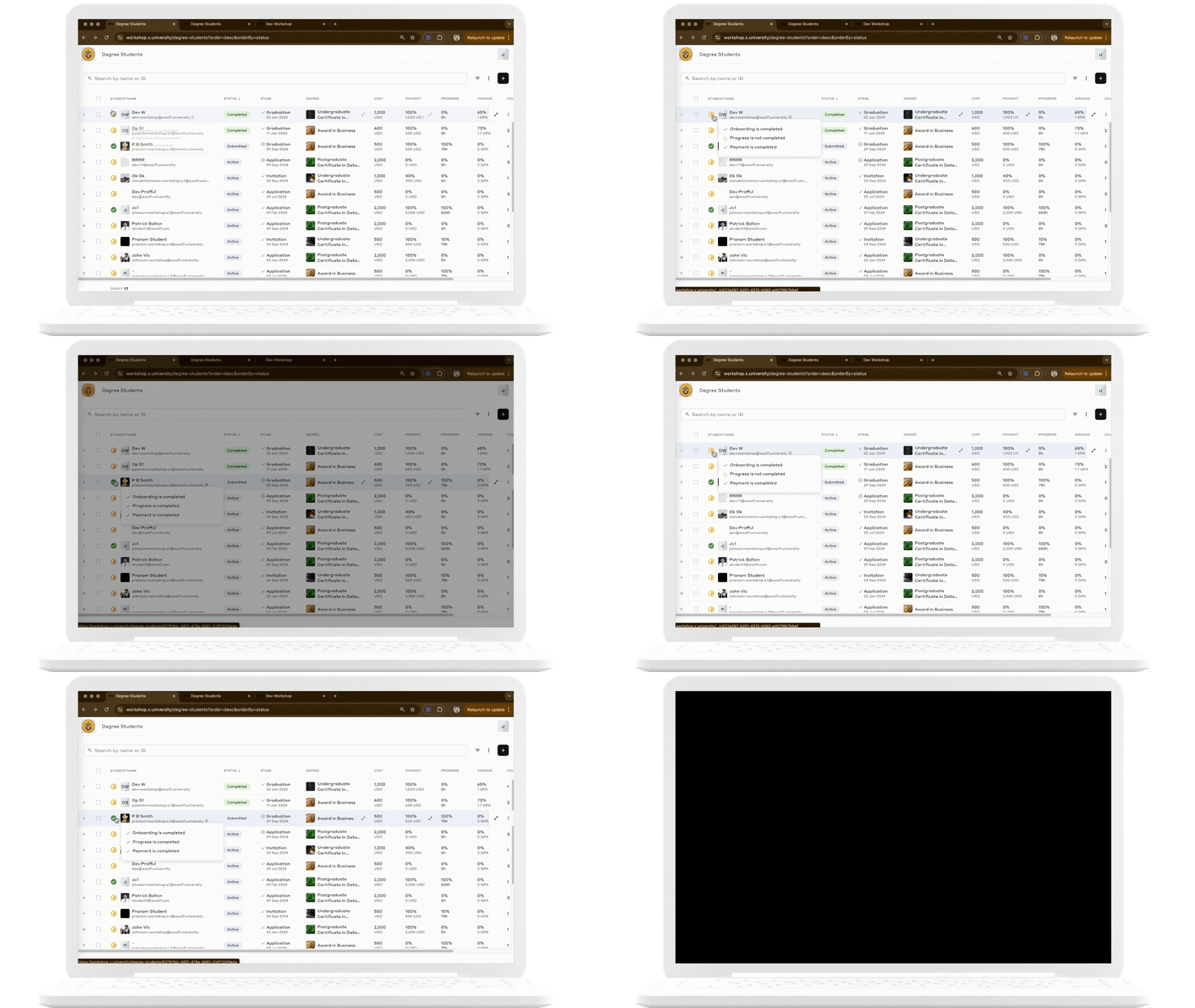 |
Step 3: Select Students for Submission
Method | Description |
|---|---|
Bulk Submission | To submit multiple students at once, click the ‘Select All’ checkbox at the top of the list to select all displayed students. You can uncheck any students as needed. 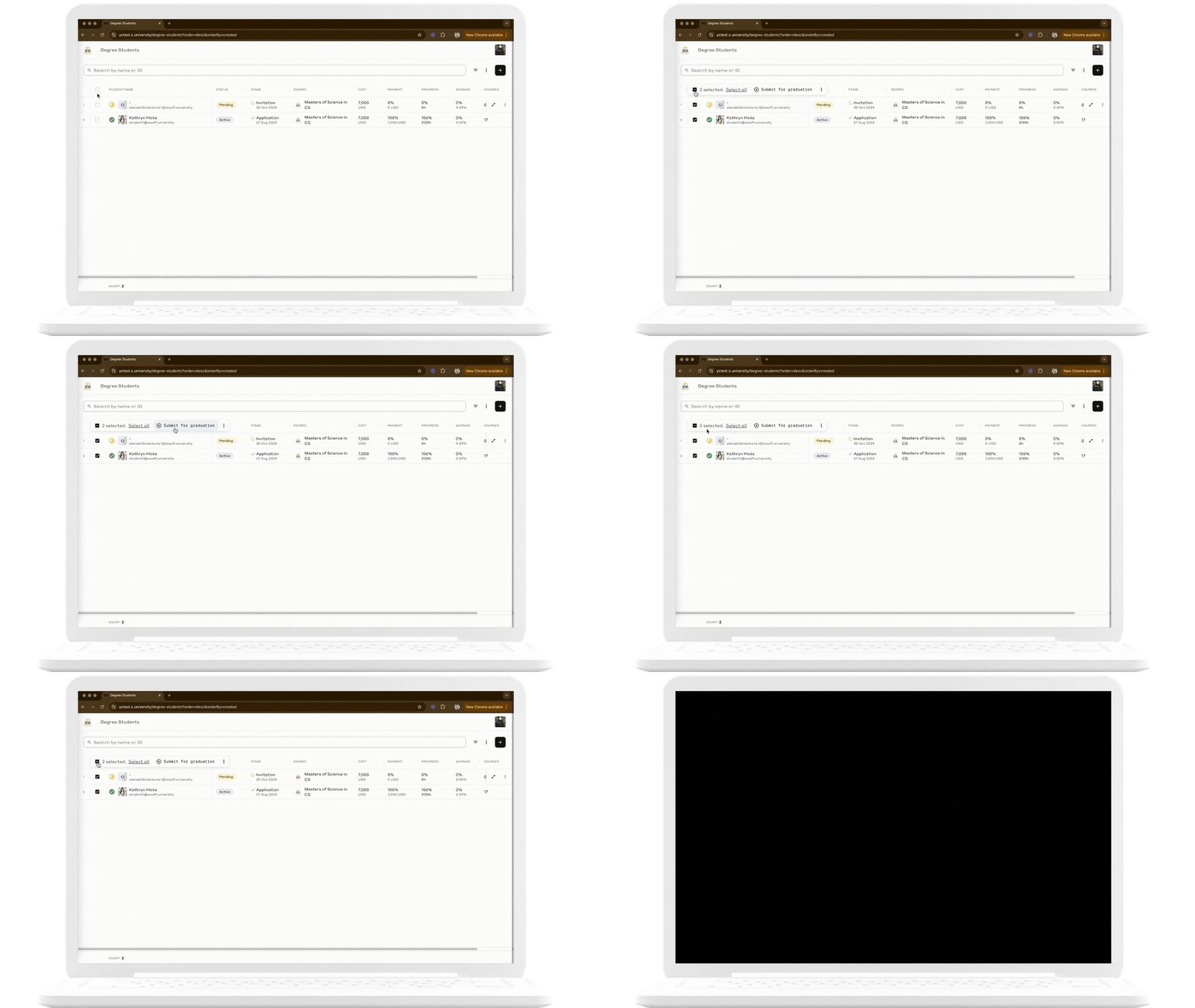 |
Individual Submission | For individual submissions, manually select each student in the list or visit their Degree Activity Page to review their record before submitting them for graduation. 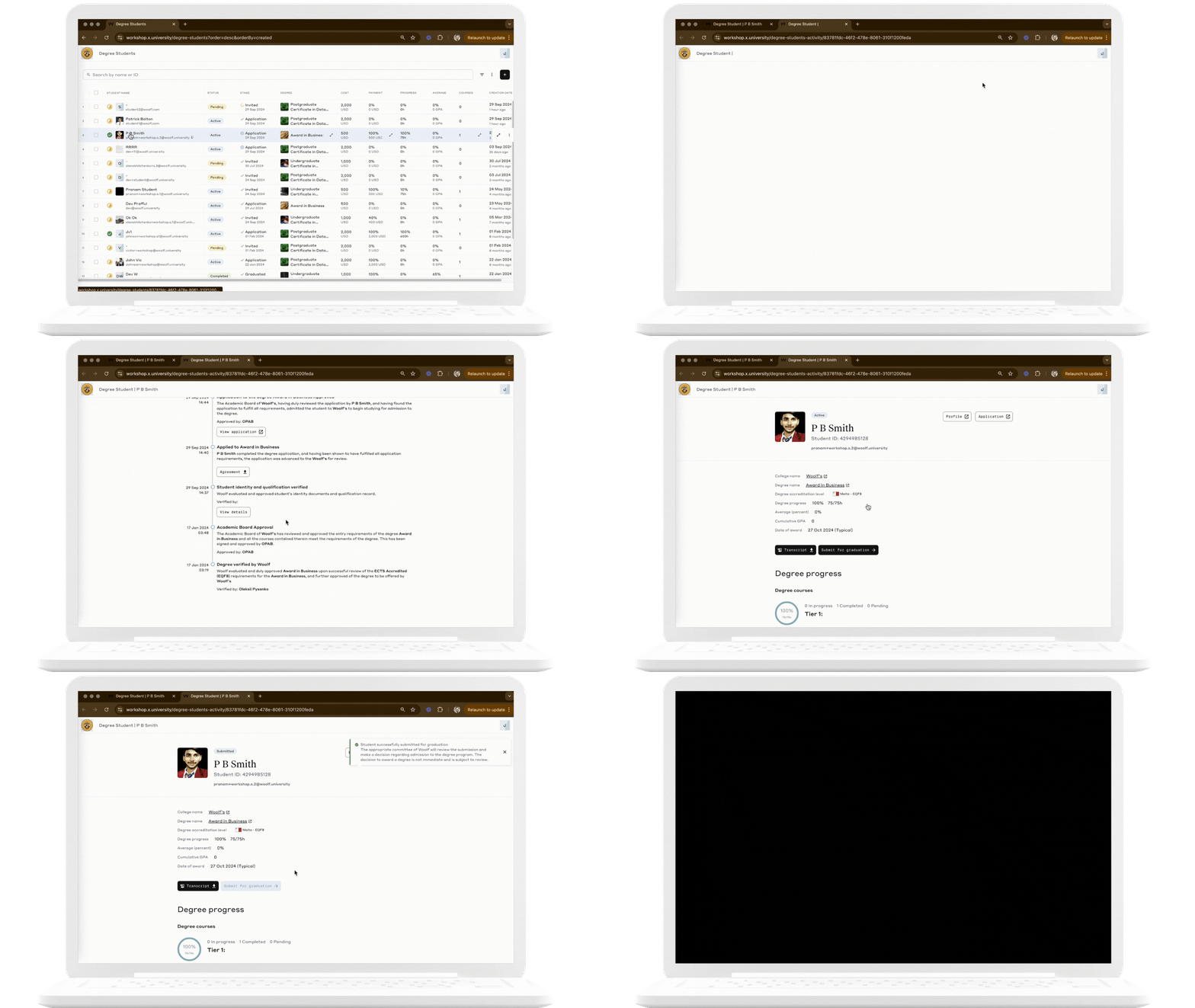 |
Once the submission is made, a record of the submission will be logged under each student’s Activity History. This record will note the details of the submission and the name of the person who submitted the student, ensuring accountability. The student’s status will then change from “Active” to “Submitted.”
What to Expect After Submitting a Student for Graduation
Once a student is submitted for graduation, the Woolf Academic team reviews the submission and take appropriate action within 10 business days. The outcome could be one of the following:
Graduation Approval: If the student meets all graduation requirements, their status will be updated to “Completed,” and the student will be processed for graduation. The student will receive an email notification with their certificates attached.
Request for Additional Information: If the review team requires additional details or clarification, Woolf will contact the designated college representative to obtain the necessary information.
Expedited Review in Urgent Cases
If you need to expedite the graduation review for a student due to extenuating circumstances, please contact the Registrar's Office directly at registrar@woolf.education. Ensure that you include the student’s name, email address, and a detailed explanation of the urgency.
Note: Expedited requests are reviewed on a case-by-case basis, and decisions will depend on the specific situation and the urgency described.