
How to Modify Grade Weight Systems
Modifying a grade weight system in Woolf’s AMS requires careful planning, particularly for courses already in progress. Grade weight adjustments are best suited for inactive courses with no enrolled students. For courses with actively enrolled students who have already received grades, creating a new version of the grade weight system is necessary.
Important: Changes to grade weights after student enrollment should be avoided. If necessary, consult with Woolf Support to understand potential impacts on running and final averages.
Follow the steps below to modify grade weight systems in line with Woolf’s best grading practices.
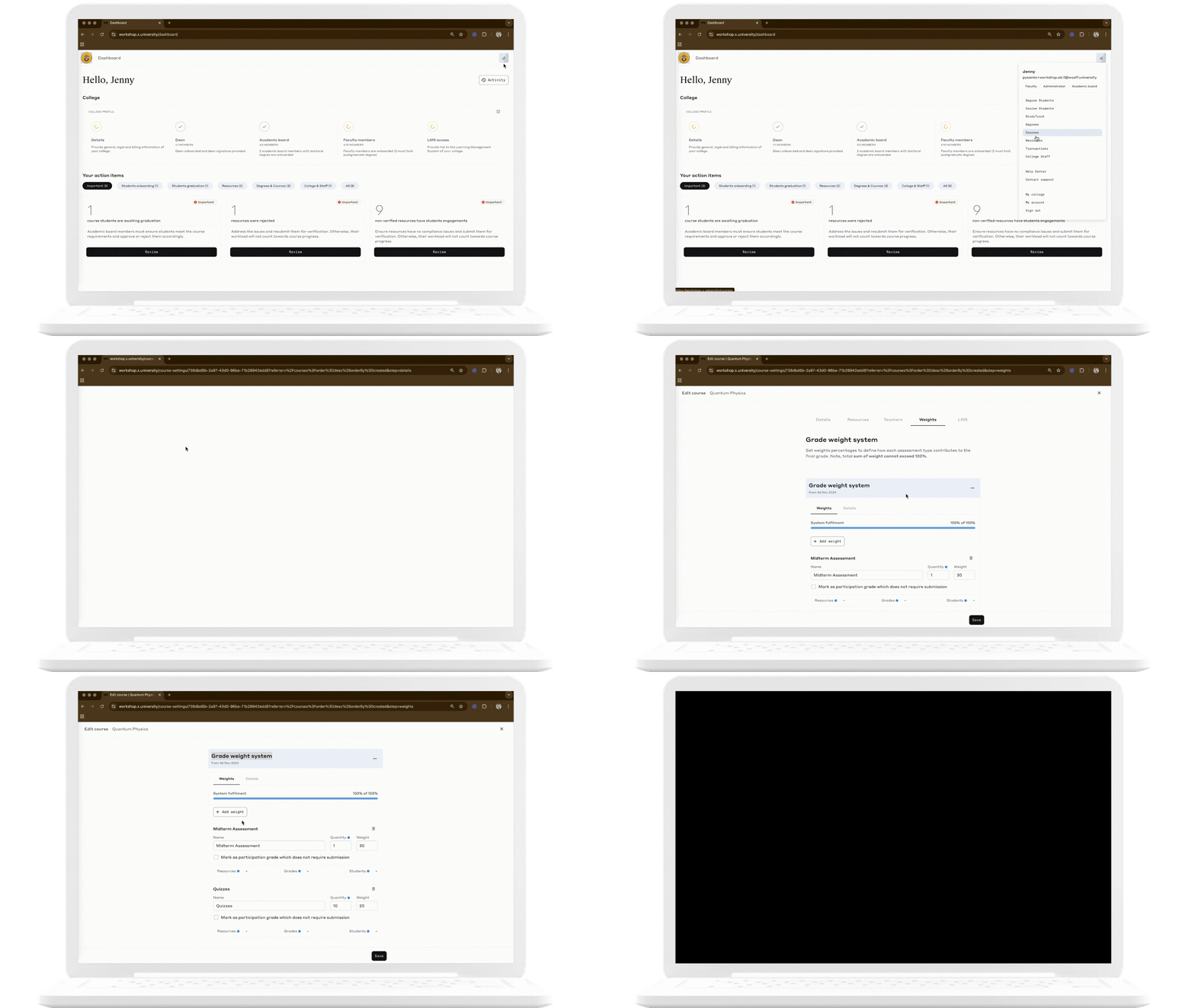
Step 1: Access the Grade Weight System
Log into AMS and navigate to the Courses section.
Select the course for which you want to modify the grade weight system.
Go to the Weight tab to view the existing grade weight categories.
Step 2: Determine the Course Status
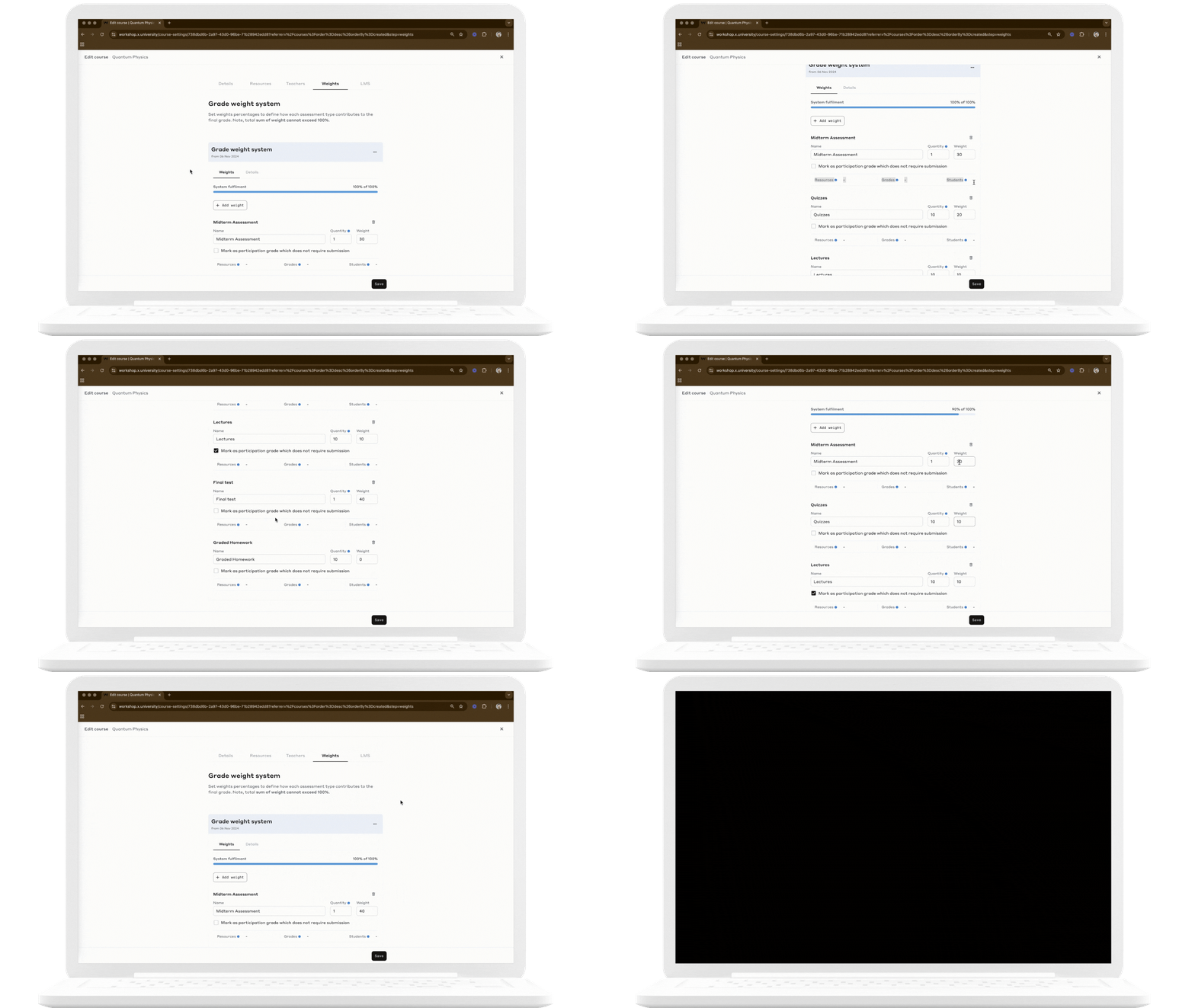
Inactive Courses
Courses without enrolled students or existing grades can be modified directly. Any changes made will apply to all future students, as there are no active records to impact.
Active Courses
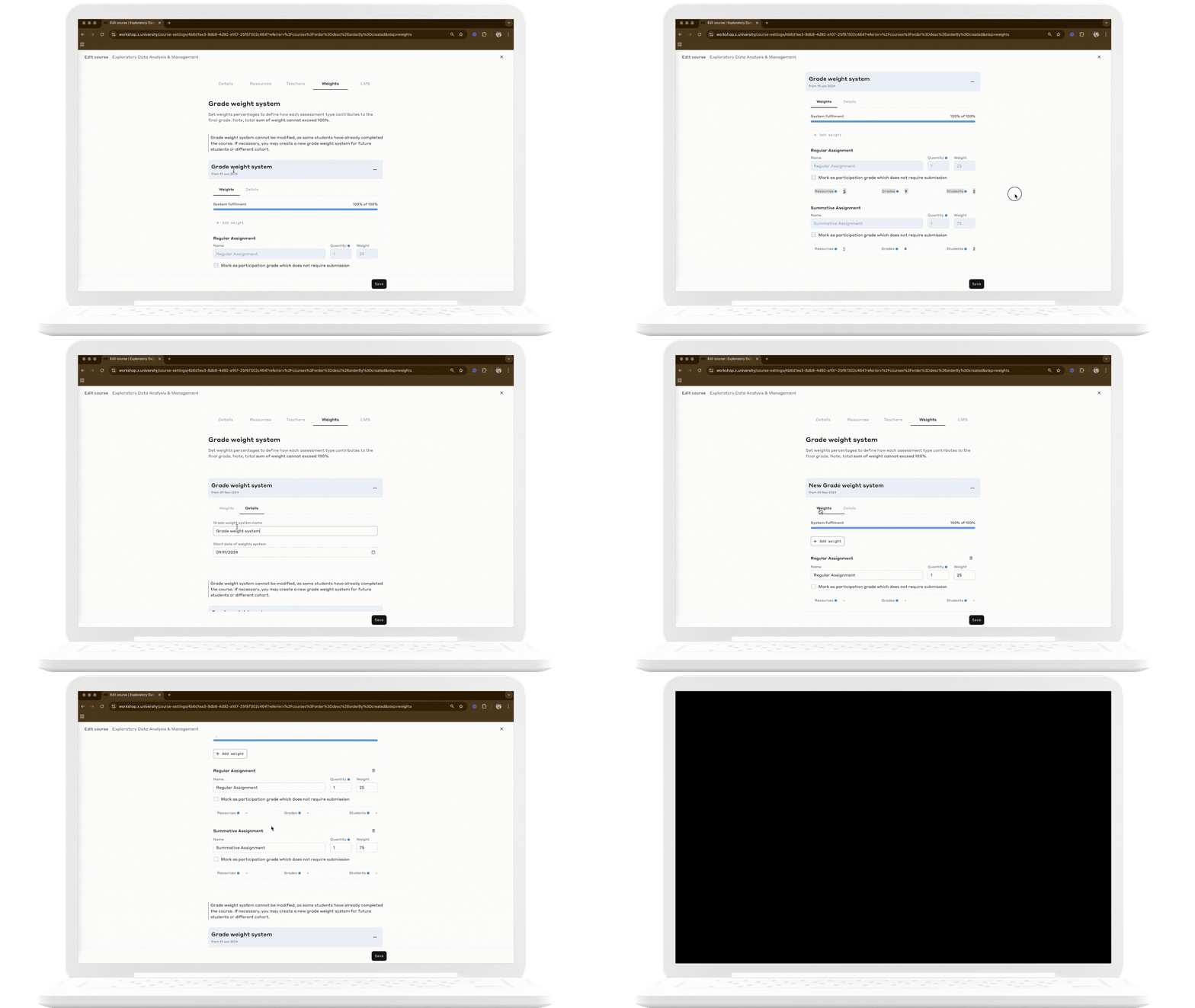
For courses with active students, duplicate the existing grade weight system to create a new version. Once grades are awarded in a course, the grade weight system becomes uneditable, leaving duplication as the only option for modification. This new version will apply only to future enrollments, while the original version remains for currently enrolled students.
Step 3: Review and Save Changes
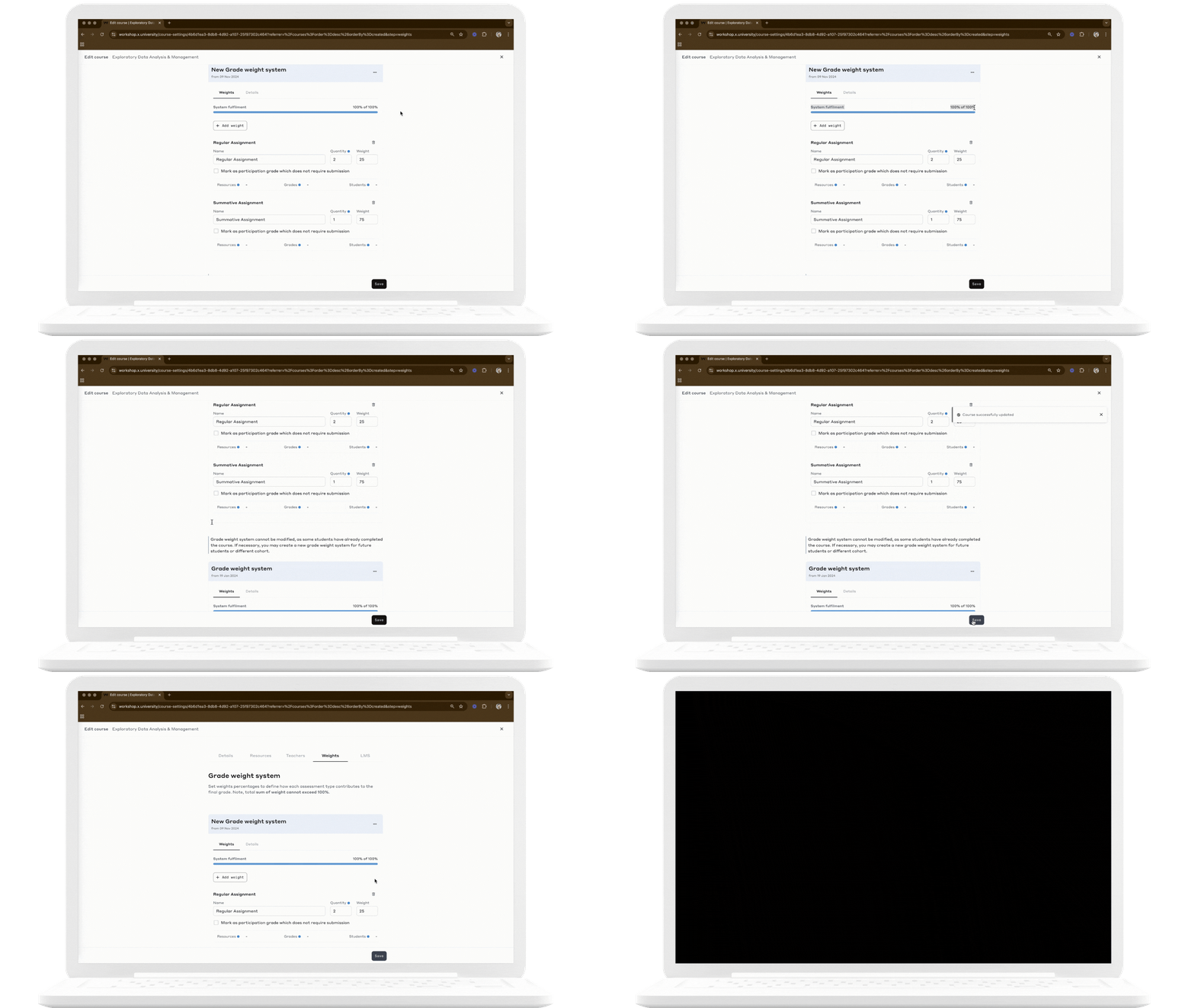
After creating a new grade weight system, review it carefully:
Verify the New System: Ensure all weight percentages total 100%, and that each category aligns with course objectives.
Check the Effective Date: Confirm the new system’s start date to ensure it applies to upcoming enrollments as intended.
By following these steps, administrators can make adjustments to the grade weight system, maintaining grading integrity and fairness for all students.